When BeatSage launched in February, it did one thing well: teach you music production by showing you, not telling you. Your AI mentor would load instruments, program drums, write melodies, and adjust your mix while you watched and listened. That core idea hasn't changed. But the app around it has grown fast.
v1.5 is the biggest update since launch. Here's what's new, and a recap of everything that shipped between v1.0 and now.
Learn Mode and Create Mode
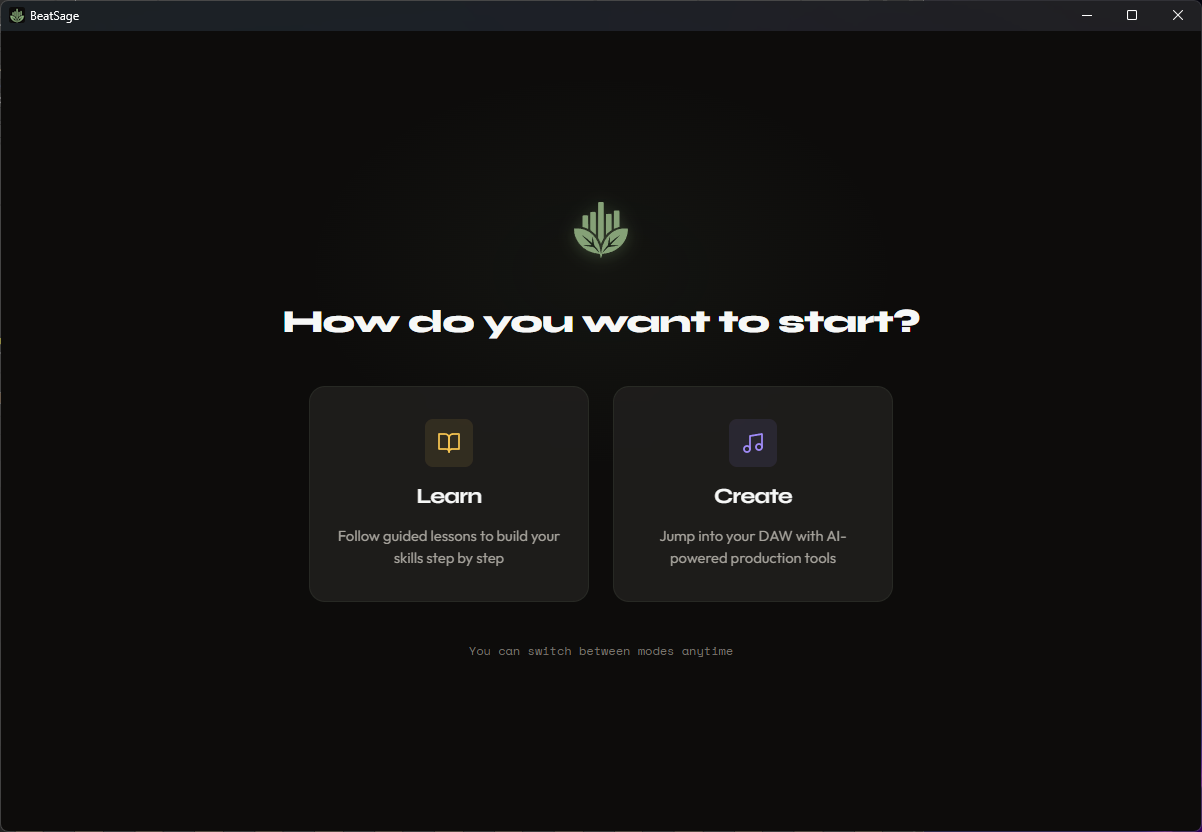
BeatSage now has two distinct modes you can switch between at any time.
Learn mode is your structured path. Pick a course, start a lesson, and your mentor walks you through each concept step by step, directly inside your DAW. You hear every technique applied to your own project. You ask questions along the way. You build real music while you learn.
Create mode is your open studio. No curriculum, no steps. Describe what you want and your mentor helps you build it. A chord progression in D minor. A sidechain pump on the kick. A full arrangement from your 8-bar loop. You lead, the AI follows.
A toggle in the title bar lets you switch whenever you want. When you're learning and feel inspired to go off-script, flip to Create. When you're producing and realize you don't understand something, flip to Learn. The mentor adapts to whichever mode you're in.
Smarter Answers During Lessons
Mid-lesson, you might stop and ask "why does the V chord want to resolve to I?" or "what's the difference between a 2:1 and 4:1 compression ratio?"
Previous versions left those answers entirely to the AI model. That worked well with the best models, but could be hit-or-miss on the free tier.
v1.5 gives your mentor a library of curated reference material across eleven topics: rhythm, harmony, synthesis, dynamics, mixing, spatial audio, and more. When you ask a follow-up question during a lesson, the answer draws from that library. The quality is consistent regardless of which AI model or subscription tier you're on.
Pick Up Where You Left Off
Your DAW crashes. Your laptop goes to sleep. You close BeatSage and come back three hours later.
Before v1.5, you'd need to restart the lesson. Now BeatSage remembers where you were and rebuilds your session to match. It catches your DAW up to the step you were on and continues from there. No repeated work. No lost progress.
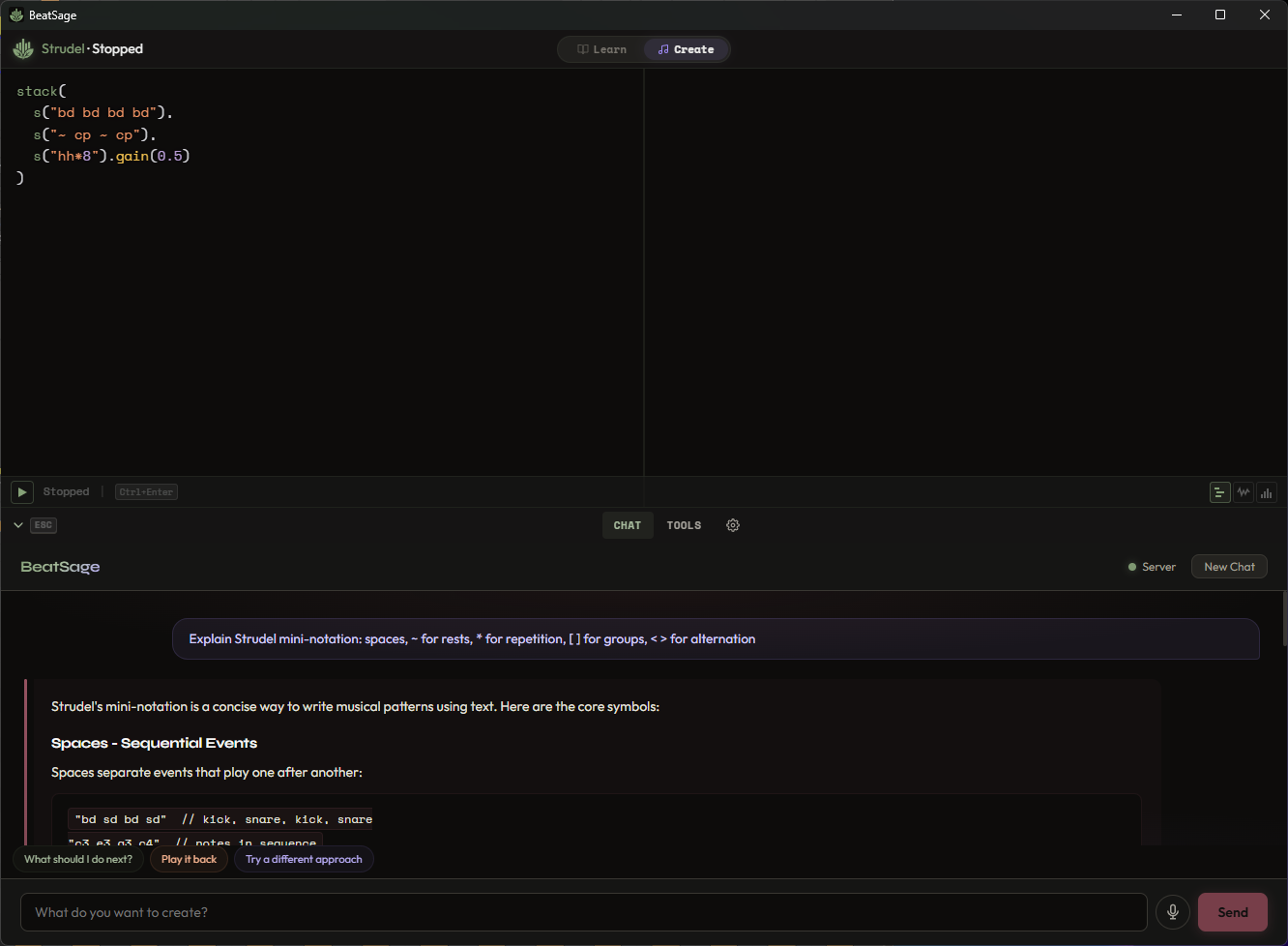
Strudel: Start Learning Without a DAW
Not everyone owns Ableton, FL Studio, or REAPER. DAWs cost money, and setting one up for the first time can be its own barrier.
v1.5 embeds Strudel, a free live-coding music environment, directly inside BeatSage. Your mentor writes musical patterns and you hear them play back instantly, all within the app window. No install, no configuration, no cost.
Several lessons now have Strudel variants. You can start learning music production fundamentals today, for free, without owning any other software. When you're ready to move to a full DAW, your progress and skills carry over.
Everything That Shipped Since Launch
v1.5 is the headline, but the releases between v1.0 and now added a lot. Here's the full picture.
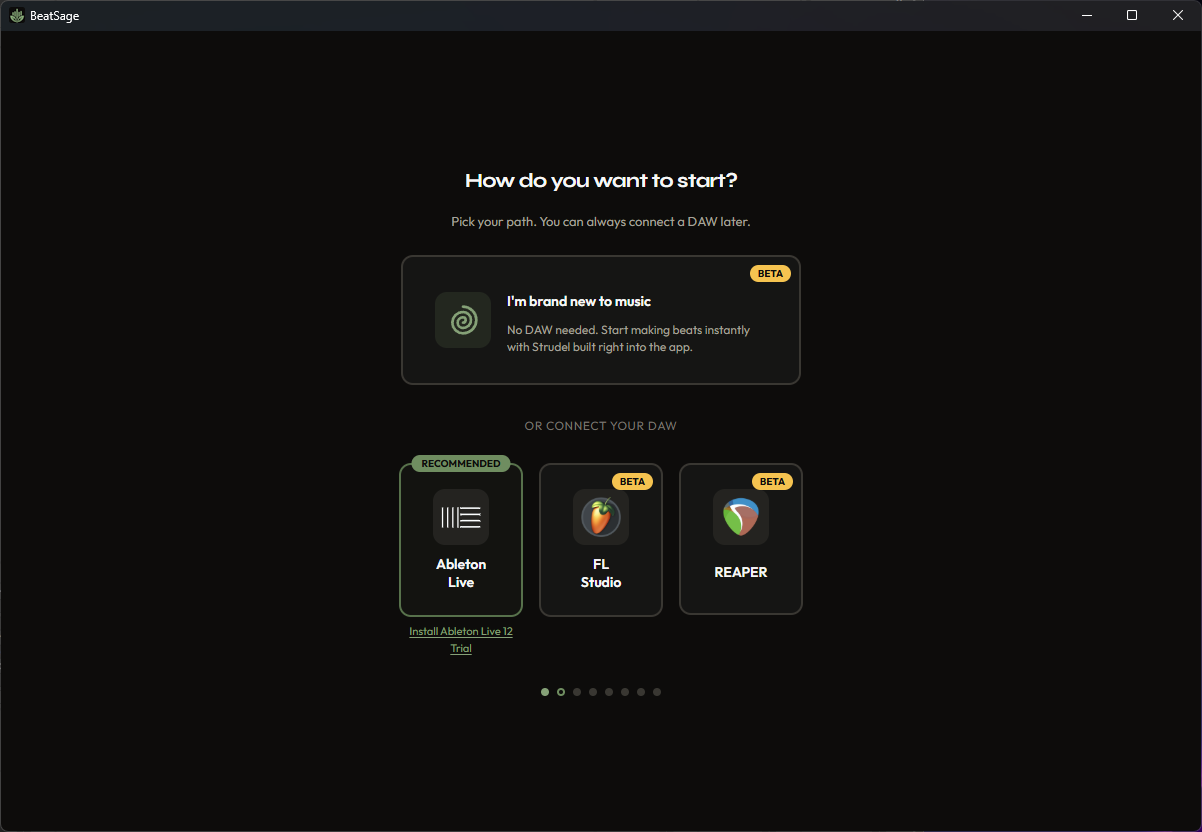
Three DAWs (and counting)
BeatSage launched with Ableton Live support. Since then, FL Studio and REAPER have both joined as fully supported DAWs with auto-detection, guided setup, and DAW-specific lessons. Your mentor knows which DAW you're using and teaches accordingly.
REAPER ships with a bundled Synthwave Essentials preset pack (13 Vital presets) so you have instruments ready for lessons without installing extra content.
Voice Input
Hold a button, say what you want, release. Your mentor hears you and acts. When your hands are on a MIDI controller and typing would break your flow, voice is the better input.
40+ Lessons Across 5 Courses
The lesson library has grown from a handful of beta lessons to over 40 guided experiences across five courses:
- From Zero to Beat - Go from a blank project to a finished beat in nine steps
- Mix Like You Mean It - EQ, compression, sends, stereo width, mastering fundamentals
- Beyond the Loop - Arrangement, transitions, B sections, intros, finishing songs
- MVP Essentials - The fastest path through the core skills
- Inside ANA 2 - Deep dive into the ANA 2 synthesizer, from first sound to recreating patches by ear
Each course has variants for different DAWs. The first beat lesson alone has versions for Ableton, FL Studio, REAPER, and Strudel.
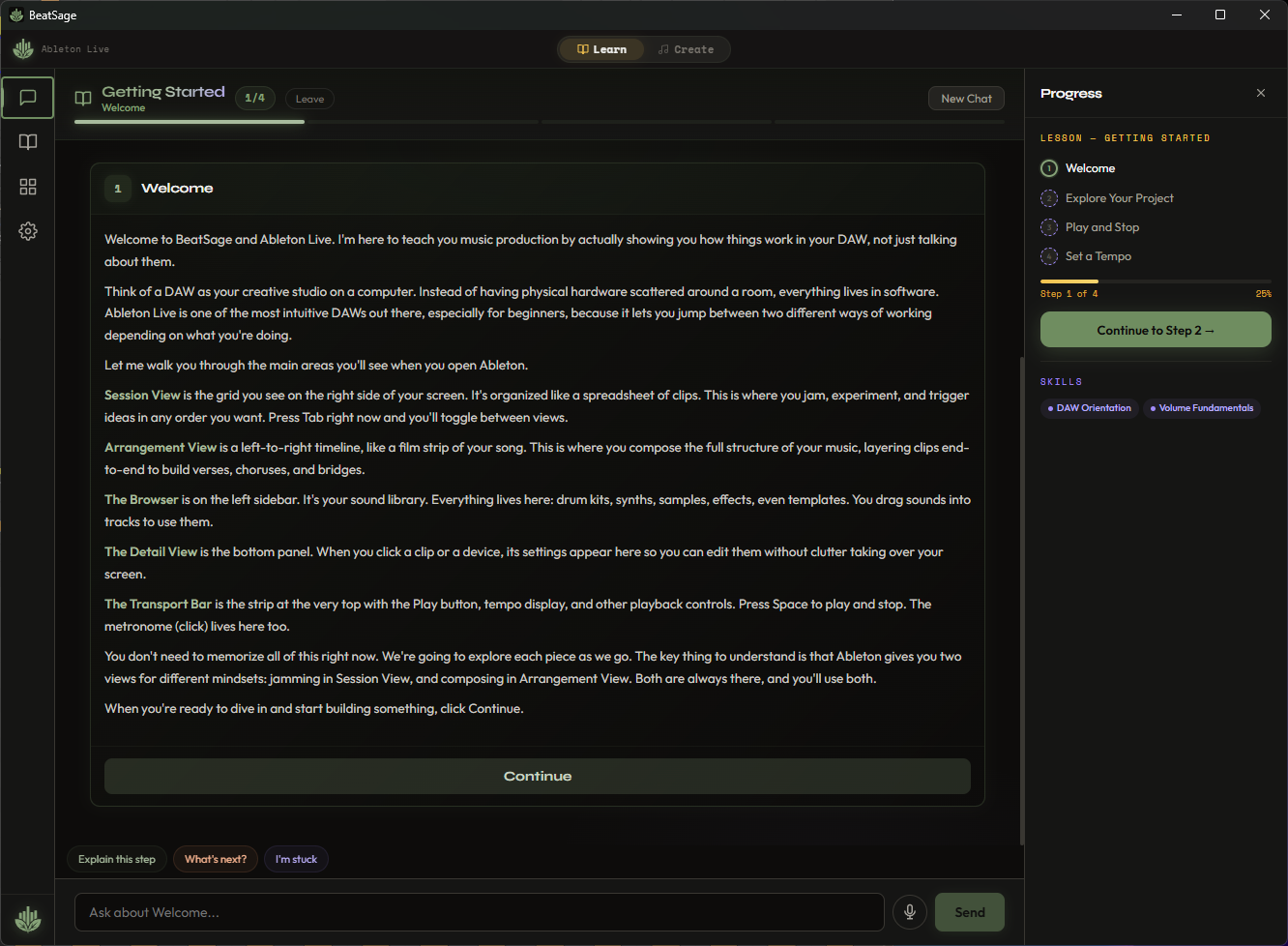
A Redesigned Lesson Experience
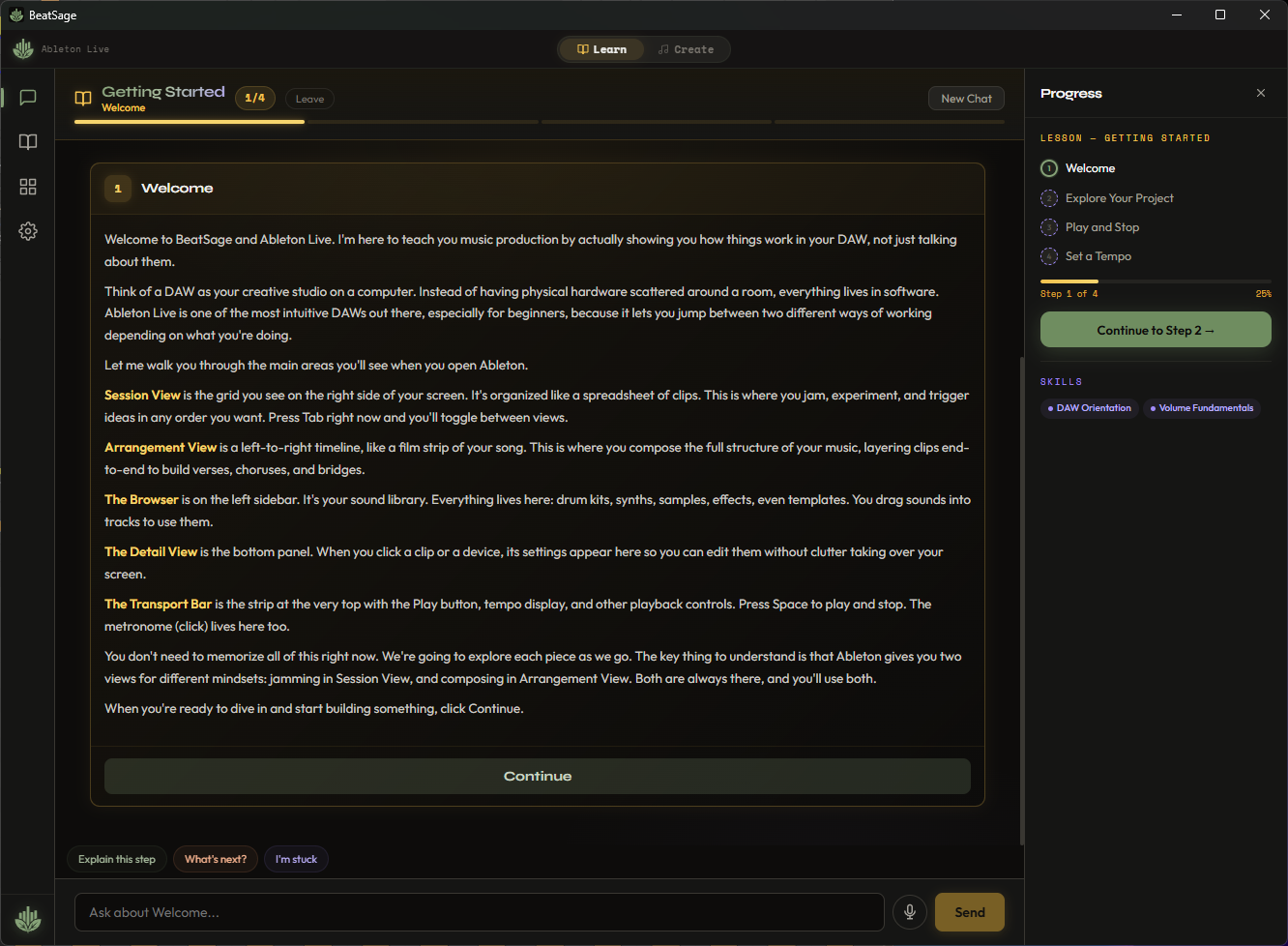
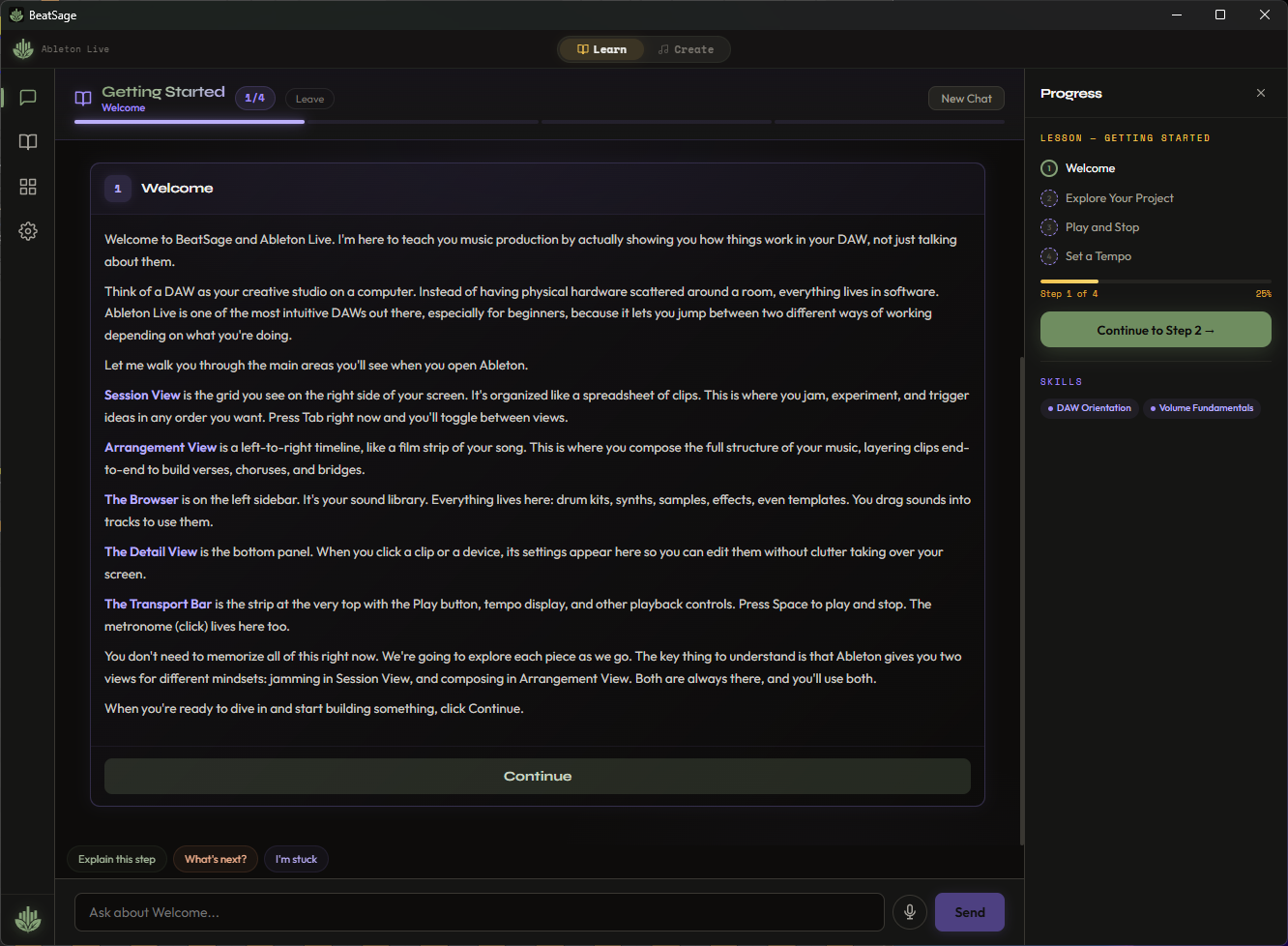
The lesson view was rebuilt to feel less like a tech tool and more like a learning environment. A progress rail shows where you are. Rich visual cards display what the AI is doing. Step transitions flow naturally. The whole experience is warmer and more inviting.
Lessons are also more interactive now. You can pause to ask questions, explore tangents, and come back to the lesson path without losing your place. Your mentor stays with you.
Faster, Lighter, and Auto-Updating
A major backend rewrite between v1.1 and v1.2 made BeatSage launch faster and eliminated the most common installation issues from early beta. The app also updates itself now. When a new version is available, you'll see it on launch. No more manual downloads.
Make It Yours
An Appearance tab in Settings lets you pick an accent color for the entire interface. Small touch, but you spend hours in this app. It should feel like yours.
Where BeatSage Is Today
For anyone just finding us:
Works with: Ableton Live (10, 11, 12), FL Studio, REAPER, and Strudel (built in, free)
Teaches: 40+ guided lessons, 37 tracked skills, 5 courses covering beats, melody, mixing, arrangement, sound design, and synthesis
Listens to you: Voice input, natural language chat, or both
Meets you where you are: Session Doctor analyzes your project and recommends what to learn next
Runs on: Windows and macOS
Pricing: Free tier (no credit card, includes Strudel and introductory lessons), Pro ($9.99/mo), Studio ($24.99/mo)
What's Next
Learn and Create modes open the door for what comes after: genre-focused lesson packs, advanced production courses, and deeper creative tools. The goal hasn't changed since day one. Meet producers where they are, and help them get to where they want to be.
Download BeatSage at beatsage.ai.