The story of six dead ends, one Microsoft release, one SDK flag, and a chord progression that no other FL Studio AI can write.
FL Studio is the most popular DAW on the planet. Over 80% of the Billboard Hot 100 has been produced in it at some point. If you're building an AI music production tool, you can't skip FL Studio.
We're building BeatSage, an AI mentor that teaches music production from inside your DAW. Not a chatbot that describes what a compressor does. An AI that reaches into your actual project, adjusts your mixer, programs your drums, and shows you the result. Show, don't tell.
We had this working in Ableton Live. Ableton exposes a Python-based Remote Script system with TCP sockets. You open a socket, send a command, Ableton does the thing. Straightforward.
FL Studio is a different animal entirely.
The Wall
FL Studio runs controller scripts in an embedded Python environment. Sounds great until you read the fine print:
- No file I/O
- No sockets
- No subprocess
- No threading
- No ctypes
- No importing external modules
The sandbox is airtight. The only way to communicate with a running FL Studio instance from the outside world is MIDI. Specifically, SysEx messages, the "escape hatch" of the MIDI protocol that lets you send arbitrary binary data.
So we built a controller script that accepts SysEx commands, dispatches them to FL Studio's scripting API, and sends responses back via SysEx. Transport, mixer, channels, plugins, patterns, step sequencer, playlist, UI. It works beautifully.
One problem: you need virtual MIDI ports to connect the adapter (running outside FL Studio) to the controller script (running inside FL Studio). On macOS, CoreMIDI gives you virtual ports for free. On Linux, ALSA has virtual MIDI devices.
On Windows? Nothing built-in.
Dead End #1: The Internal Bridge
FL Studio's native plugin SDK has a function for sending SysEx internally. In theory, a compiled C++ plugin loaded in FL Studio could forward commands from a TCP socket to the controller script via internal SysEx, bypassing virtual MIDI entirely.
We built the plugin. TCP connection works. The plugin receives commands and calls the SysEx function. The bytes go... nowhere. The controller script never receives them. After hours of testing with every possible configuration, we confirmed: that SDK function routes to hardware, not to controller scripts.
Status: Dead.
Dead End #2: teVirtualMIDI
loopMIDI, the de facto virtual MIDI driver for Windows, is built on the teVirtualMIDI SDK. It includes a DLL with a C API for creating virtual ports programmatically.
handle = dll.virtualMIDICreatePortEx3(
    "BeatSage CMD", None, None, 0, 7
)
# handle is non-null! Port created!
Except... the port is invisible. FL Studio can't see it. No MIDI application can. We tried every flag combination. The DLL returns handles, ClosePort returns False. Turns out the DLL is a stub that requires the loopMIDI driver process running to actually register ports with the Windows multimedia subsystem.
And loopMIDI's license? "Free for private, non-commercial use. May not be distributed without prior written consent." We can't bundle it.
Status: Dead.
Dead End #3: rtmidi Virtual Ports
Our MIDI library supports virtual ports on macOS and Linux. On Windows:
Virtual ports are not supported by the Windows MultiMedia API.
Period.
Status: Dead.
Dead End #4: Windows MIDI Services (First Attempt)
Microsoft has been building Windows MIDI Services, a complete rewrite of the Windows MIDI stack with MIDI 2.0 support. It includes a virtual loopback transport. Exactly what we need.
We installed the SDK. The service was already running on our Win11 machine:
SERVICE_NAME: midisrv
        STATE: 4  RUNNING
But actually using the loopback API?
Error: REGDB_E_CLASSNOTREG
The SDK requires WinRT activation through a custom bootstrapper. The PowerShell module required .NET 10 (pre-release). The Rust bindings didn't exist. We'd need to write custom bindings for uncharted territory with no examples.
We estimated the work: weeks of effort with no guarantee it'd work end-to-end.
Status: Theoretically possible, practically blocked.
The Pragmatic Retreat
At this point, we made a decision: ship with what works. loopMIDI is free to download, takes 30 seconds to install, and the SysEx round-trip through it works perfectly. We'd guide users through the setup in our installer.
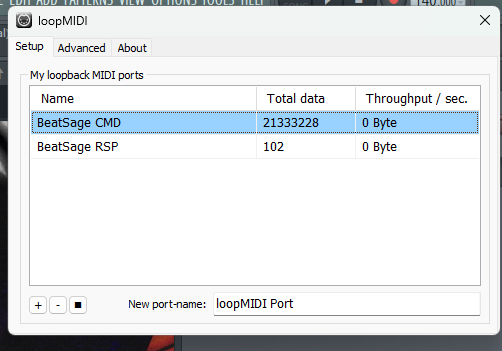
We wrote a full phased rollout spec. Ship fast with a manual loopMIDI setup, iterate toward automation later.
We built the whole thing. Rust backend with FL Studio detection, script installation, port verification, connection testing. A multi-DAW installer UI in Svelte. Graceful degradation when ports aren't available.
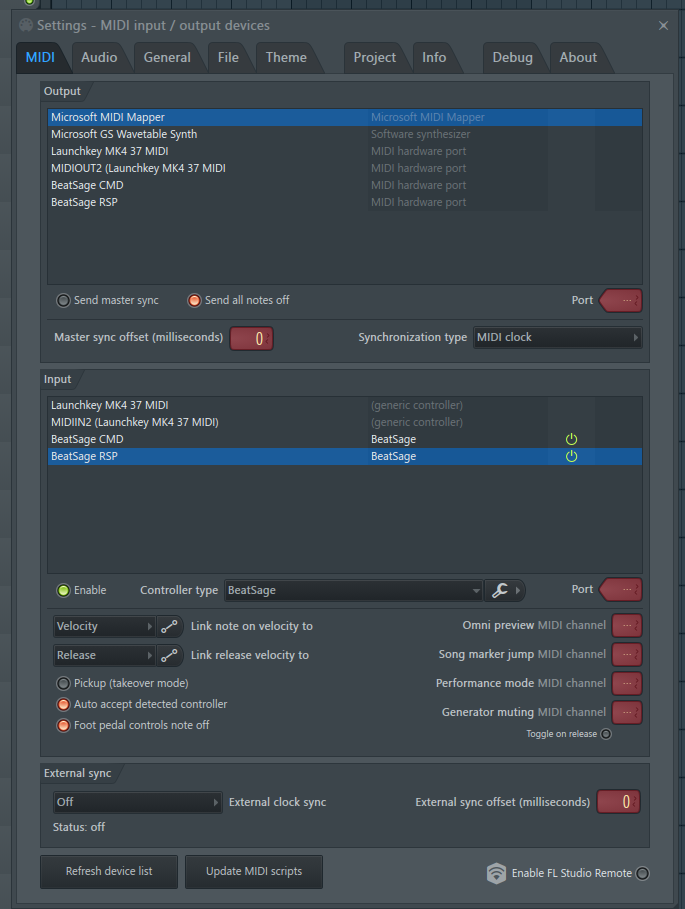
This is the MIDI settings screen users would have had to configure manually. Multiple ports, correct controller type, correct settings. It works, but it's several steps of configuration that music producers shouldn't have to think about.
Then, while investigating whether we could reverse-engineer loopMIDI (answer: don't, it requires a kernel-mode driver with WHQL signing, months of work), we checked the Windows MIDI Services release page.
The Breakthrough
Microsoft released a new version of Windows MIDI Services four days before our session. The release notes included one line that changed everything: you could now create temporary virtual loopback endpoints from the command line.
We downloaded it. Installed it. Ran one command. Two virtual MIDI endpoints appeared, visible to every MIDI application on the system, including FL Studio.
SysEx round-trip: pass. No third-party drivers. No kernel code. No licensing issues. MIT-licensed, built into Windows 11, one CLI command.
We ripped out every loopMIDI reference in the codebase. Rebuilt the installer to create the loopback endpoints automatically. Opened FL Studio, configured the MIDI settings, sent our first ping. Connected.
We ran the full command sweep. Nearly every command passed. The failures were functions that don't exist in the current FL Studio version. Not our bug.
Then we programmed a drum pattern:
808 Kick:   x---x---x-----x-
808 Clap:   ----x-------x---
808 HiHat:  x-x-x-x-x-x-x-x
808 Snare:  --------x-------
An 808 pattern lighting up in FL Studio's Channel Rack, controlled by our AI adapter through zero-dependency virtual MIDI on Windows.
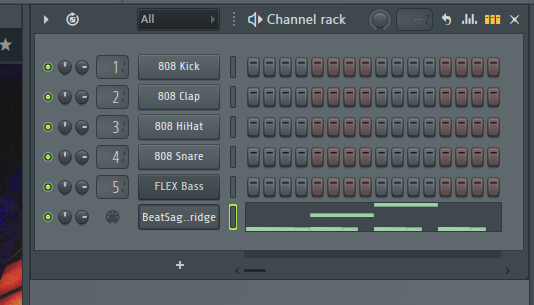
No third-party drivers. No commercial licenses. No kernel code. Total external dependencies for FL Studio communication: zero.
What This Means
FL Studio support ships without asking users to install anything beyond Windows MIDI Services (which is rolling out via Windows Update). The installer creates the virtual MIDI endpoints automatically. The adapter connects. The AI teaches.
SysEx-only delivers the majority of the FL Studio experience: transport control, mixer automation, plugin parameter tweaking, step sequencer drum programming, pattern management, and the entire education engine. The piece that's missing is piano roll note writing, which requires a different approach. That's Phase 2.
Phase 2: The Piano Roll Problem
Step sequencer programming is great for drums, but music production is more than kick patterns. To teach chord voicings, melody writing, bass lines, and arrangement, we need to write MIDI notes into FL Studio's piano roll. Arbitrary channels, arbitrary patterns.
FL Studio's native plugin SDK has a host dispatcher call for writing notes to the piano roll. You build a struct with your notes, call the dispatcher, and notes appear. The struct has a field for targeting specific channels. Simple, right?
We already had a native C++ plugin from Dead End #1. Its TCP server was proven. We sent a C major triad, the plugin called the note-writing function, and notes appeared in the piano roll.
On the plugin's own channel. Only ever on the plugin's own channel.
Dead End #6: Cross-Channel Targeting
We tried every value for the channel targeting field. Notes always went to the plugin's own channel. We found and fixed a memory bug in our C++ code that could have been corrupting the field. Same result.
We researched every open-source FL Studio AI integration we could find. Six projects on GitHub. Forum threads going back years. Not one of them can write notes to arbitrary channels. The closest any of them get is single-channel writing or real-time MIDI playback that doesn't persist.
Then we found a forum thread where a developer had the exact same problem. An Image-Line staff member replied:
"It's not possible."
The channel targeting field is ignored. Notes always go to the plugin's own channel. Confirmed by the vendor.
Status: Dead. Confirmed by Image-Line.
Except there was one more line in the SDK documentation that everyone, including us, had been reading past. Nine words in a comment, after a comma, about a specific edge case that changes the behavior entirely.
The Flag
We changed one thing about how our plugin registers itself with FL Studio. One flag in the plugin configuration. Moved the DLL to a different folder. Rebuilt.
Cross-channel note writing. F major triad on one channel. A minor triad on another. Different channels. Different notes. Controlled by the AI.
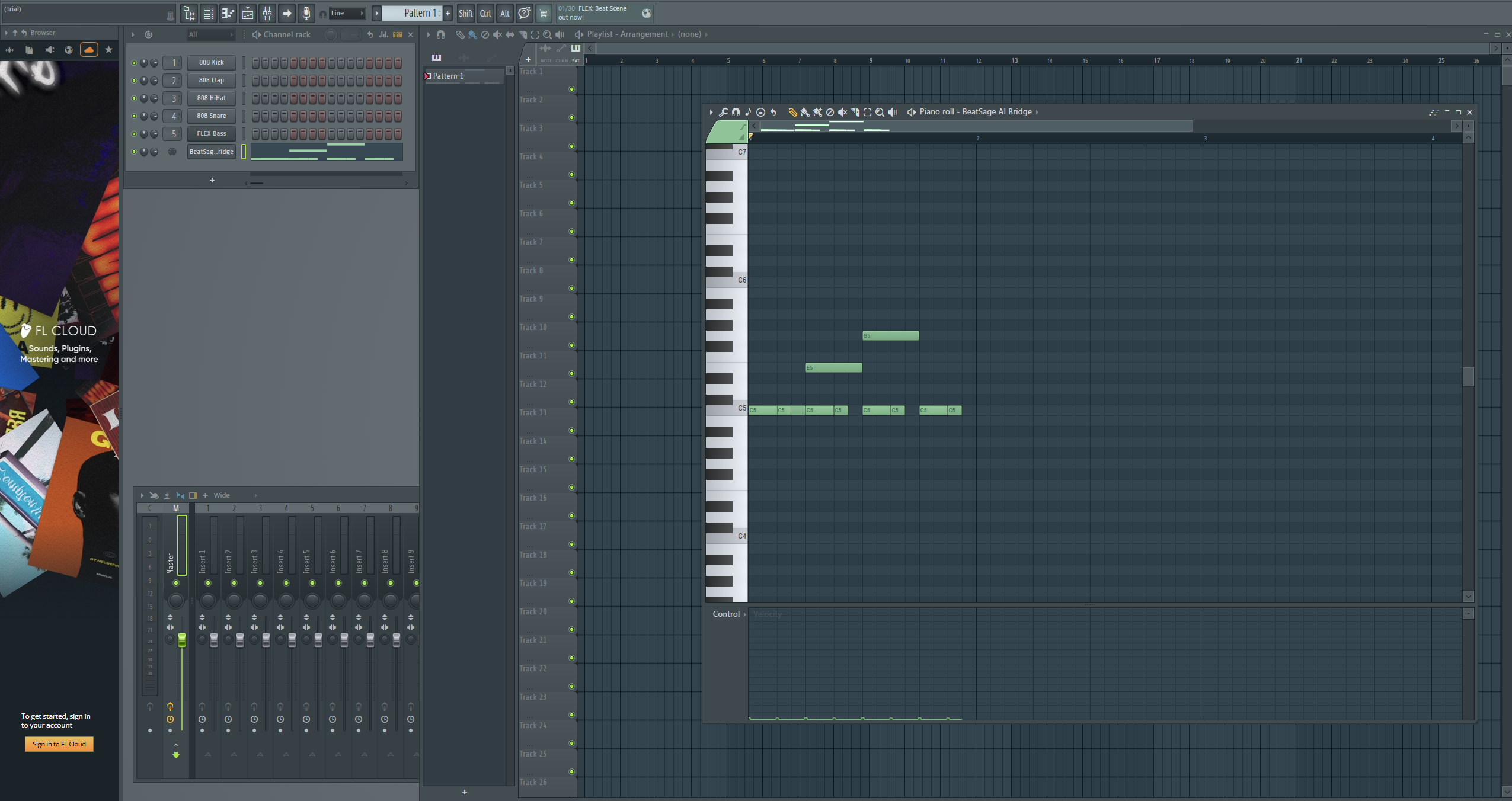
It works.
Why This Matters
We surveyed every FL Studio AI integration we could find. Nobody has cross-channel piano roll writing. The best anyone does is write to a single channel, or play notes in real-time that don't persist.
The fix was buried in the SDK documentation. Nine words that everyone, including the developer who asked about it on the forums, had been reading past for years.
Sometimes the answer isn't a new algorithm or a clever hack. Sometimes it's reading the documentation one more time, paying attention to the clause after the comma.
Timeline
Here's what happened across two sessions:
Session 1 (Virtual MIDI):
- Hour 1: Tested five approaches to virtual MIDI on Windows. All failed.
- Hour 2: Wrote a rollout spec accepting loopMIDI as a dependency. Built the multi-DAW installer.
- Hour 3: Discovered Microsoft had shipped the exact feature we needed four days earlier.
- Hour 4: Ripped out loopMIDI, wired up the new approach, ran the full command sweep against live FL Studio, programmed an 808 beat.
Session 2 (Piano Roll):
- Hour 1: First successful note writing call. Notes appear in the piano roll. Celebrated prematurely.
- Hour 2: Discovered cross-channel targeting is broken. Tried everything. Found and fixed a memory bug. Same result.
- Hour 3: Researched six open-source projects. None solved this. Found vendor confirmation: "It's not possible."
- Hour 4: Re-read the SDK docs. Found nine words in a comment. Changed one flag. Cross-channel note writing works.
From "confirmed impossible by the vendor" to "working in production" by reading the documentation one more time.
BeatSage is an AI-powered music production mentor that teaches inside your DAW. Currently supporting Ableton Live and FL Studio. Learn more at beatsage.ai.